
I personally use these four tools every day and recommend them to anyone building a solo faceless brand (contains affiliate links that support this guide).
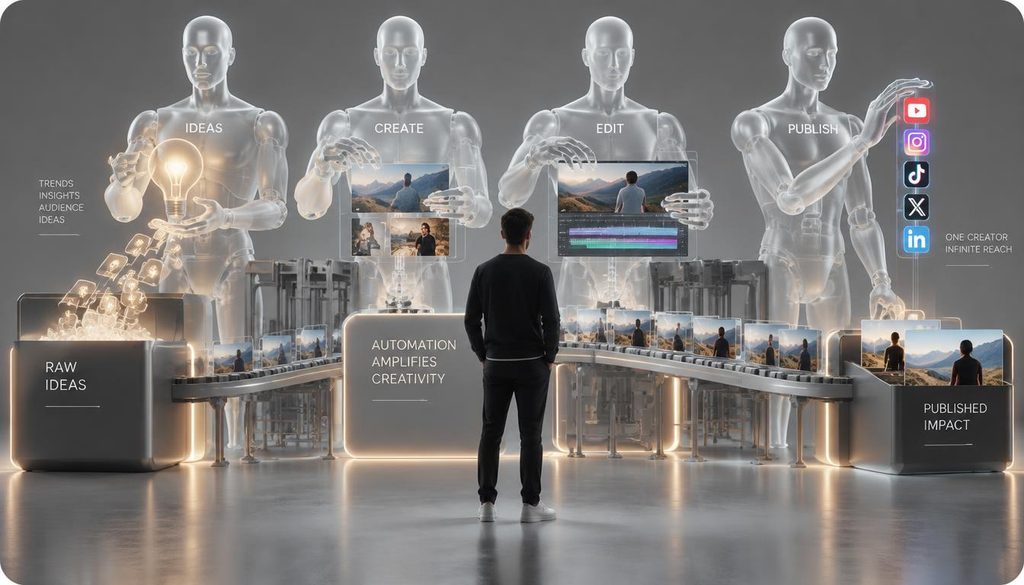
The 4 Tools I Use Every Day 🛠️
- Jasper AI — Turns a single content idea into ready-to-use scripts, hooks, and social posts. Jasper outperforms general-purpose AI tools everyone knows.
- ElevenLabs —Turns those scripts into natural-sounding voiceovers, so I can produce narration without recording every video myself. Forget robotic AI voices.
- Descript — Fast video editing. I edit videos almost like text documents: cut unwanted sections, remove dead air, and clean up audio without wrestling with a traditional timeline.
- Captions.ai — Turns boring videos into scroll-stopping content. Captions adds eye-catching subtitles, zooms, and effects to make your videos stand out.
My Solo Production Pipeline 💡
Step 1: Batch the Scripts First ✍️ (Jasper AI)
Instead of writing one post at a time, I take a real problem and generate a full batch of scripts in one session.
- What I do: Feed Jasper a real problem, generate 10 sharp angles, and write 130–150 word video scripts into a master sheet.
- 💡 MY RULE: Never ask AI for generic “top 5 tips” lists. Give it a specific problem and audience, then trim the outputs to under 150 words.
Step 2: Generate Consistent Voiceovers 🎙️ (ElevenLabs)
Once scripts are ready, I convert them into audio to keep my channel’s voice recognizable.
- What I do: Paste approved scripts into ElevenLabs, render audio files using a custom voice profile, and organize them into a batch folder.
- Important: Consistency beats perfection. A recognizable voice across 50 videos is more valuable than finding a “new voice” every week.
Step 3: Edit Through the Transcript 🎬 (Descript)
I edit videos like a document instead of messing with complex video timelines.
- What I do: Import ElevenLabs audio into Descript, trim silent pauses automatically, overlay stock media, and build 30–60 second drafts.
- 💡 MY RULE: Fix structure and audio pacing before adding visual polish. Never waste time styling a broken script.
Step 4: Optimize for Mobile Retention 📱 (Captions.ai)
The final step is making the video pop on silent mobile feeds.
- What I do: Run video drafts through Captions.ai to add kinetic subtitles, auto-zooms, and subtle sound cues.
- 💡 MY RULE: Effects should support attention, not compete with it. Keep captions clean and animations intentional.
The Workflow at a Glance ⚡
| Stage | Tool | What I Get |
| 01. Scripting | Jasper AI | Scripts, viral hooks, and social copy |
| 02. Audio | ElevenLabs | Studio-grade, consistent voiceovers |
| 03. Assembly | Descript | Clean, silent-free video drafts |
| 04. Polish | Captions.ai | Mobile-ready final MP4 videos |
My 4 Golden Rules for Solo Creators 📌
- Batch Everything: Write 20 scripts at once, generate 20 voiceovers at once. Context-switching kills output.
- Keep the Voice Consistent: A recognizable voice builds brand equity.
- Fix Audio Before Effects: Viewers forgive average visuals, but bad audio makes them swipe away instantly.
- Keep the Stack Small: Four tools with clear jobs are infinitely better than ten overlapping apps.
Final Action Plan 🚀
Pick one topic 🎯 → Batch scripts in Jasper ✍️ → Render audio in ElevenLabs 🎙️ → Cut silences in Descript 🎬 → Add retention captions in Captions.ai 📱 → Publish 🚀